Showing posts with label laptops. Show all posts

Saturday, December 1, 2012

The pioneer dreambook v12 tablet With Full detail with Specification and price

The pioneer dreambook v12 tablet surface internet device and eBook allows wireless access to the internet with all your favourite apps, email, books etc.Here you see its full detail specification and its prices. Now updated with Android 2.1 It features an improved battery life, larger Wi-Fi range, new user interface, and 5 DRM eBook app's including Aldiko, Amazon Kindle, Angus, Boders, Kobo, all ready for use.
DreamBook-V12 full specification with prices full review tips and tricks


The dreambook v12 pioneer computers. Australia based company Pioneer Computers has announced to start taking pre-order of the their latest tablet DreamBook V12 Surface comes with detachable keyboard that can transform tablet into a laptop is available for pre-order at starting price of $899.

Specifications And Detail

ProcessorIntel Celeron 847 ULV 1.1Ghz Dual Core Processor
ChipsetIntel NM70
GraphicsIntel HD Graphics
Display11.6” (1366x768; 16:9) LED Backlit TFT LCD Screen with 10 points Capacitive Touch
MemoryDDR3 SO-DIMM Slot x1, supports up to 4GB
StorageSATA III SSD 32GB/64GB/128GB
I/O Ports1x Audio Out Mic In, 2x USB 2.0, 1x Mini HDMI, 1x Micro-SD, 1x SIM Card, 1x DC
CameraIn Front: 1.0MP Rear: 5.0MP
CommunicationsWLAN 802.11 b/g/n; BlueTooth 2.1 + EDR
Options3G EVDO/WCDMA, TPM, NFC, Digitizer
Keyboard SpecsBT Keyboard with built in battery, Tablet wake up on detach, sleep on attach
Microphone2x Digital Microphones
HDMI1080P
Size13.3mm thickness for tablet; 5.5mm thickness for keyboard
BatteryLi-Polymer 48WH


Author:Jatin Baliyan is founder and webmaster of Arenamzza.org. You can follow me on Twitter, Facebook and on Google Plus..

Friday, October 26, 2012

Windows 7 Logon Welcome Screen Background Changer


How to Customise Windows 7 Logon Welcome Screen Background Changer free software full version download
Windows 7 Logon Background Changer is a free open source software that let you change the wallpaper of the Windows 7 logon screen (also known as "welcome screen", "login screen" or LogonUI).

Direct Download

It works with Windows 7 Home Basic, Home Premium, Professional, Ultimate, Enterprise and Starter, in x86 or x64 (32 or 64 bits). It also works on Windows Server 2008 R2 (but you are not supposed to customize a server).
Windows 7 Logon Background Changer : Customize your welcome screen wallpaper


On a side note, this small program is WPF based, it's a nice technical demo of Windows Presentation Foundation capabilities for those interested in WPF. It requires a decent GPU for the 3D animations to run smoothly.

What does it do?                  Direct Download

It does NOT change any system file, and the program itself does not requires admin rights to run : it will just ask you to run as admin a very simple cmd file that creates the required folder and registry key with the appropriate rights. Any user of the computer will then be able to change the Windows 7 logon screen wallpaper. You can also prevent users from being able to change the logon screen wallpaper if you don't want them to be able to modify it without administrator rights (option available by clicking on the "Settings" button).
It creates a few JPEG files based on the image you want to put as wallpaper for the Windows 7 login screen, applies the appropriate cropping and sizing and saves them using the best compression quality possible.


LIKE US ON FACEBOOK TO GET LATEST UPDATE REGULARLY

OffiCial Site

OFFICIAL DOWNLOAD PAGE

Saturday, September 8, 2012

New Samsung Chromebook and Chromebox Full review Samsung Chromebook and Chromebox review

Samsung Chromebook and Chromebox review Samsung Chromebook and Chromebox review
Two new computers running Google's Chrome operating system are looking to lure people to a browser-based environment. Both target light-duty computer users who don't need the full range of capabilities that traditional Windows and Mac computers provide.

The first thing to know about these machines is they lack regular hard drives for storage. There's a small amount of flash memory available, the kind you'd find on a camera memory card, but Chrome OS machines are designed for the cloud. That means documents are stored over the Internet, and programs are run over the Internet through a Web browser.

However securely and discretely the Internet services you use claim to keep your data, your content is one step removed from your tight-fisted control. Cloud computing also limits what you can do during those times you may not have an Internet connection.

In addition, because the machines emphasize not just cloud storage but cloud services as well, you won't be able to install full-blown programs such as Microsoft's Office. You're limited to the selection of apps written for Chrome.

What you get instead is speed. The Chrome OS machines boot up quickly because they don't have to load a lot of software - all that is run over the Internet. The machines also don't need the most expensive and fastest parts because they aren't doing a whole lot.

If you're OK with that approach to personal computing, the Chromebook laptop and the Chromebox desktop computer hit the mark. Both are made by Samsung Electronics Co. and represent the second-generation of Chrome OS machines, following the models out last summer.

Here's a closer look at the two:

Samsung Chromebook and Chromebox review

Chromebook
Officially called the Samsung Series 5 550, the $449 Chromebook laptop is an updated version of last year's debut Chromebook model.

As notebooks go, the Chromebook is sleek and simple by appearance. It sports a 12.1-inch display, weighs a tidy 3.3 lbs and has built-in Wi-Fi. The model I tested also came with a 3G cellular modem and two years of free online connection to Verizon's network. That model costs $549.

Under the hood is an Intel Celeron processor and four gigabytes of RAM, which is plenty for most Web-based activities. There's a paltry 16 gigabytes of flash storage, which can quickly get eaten up if you store a lot of songs or photos - forget about lengthy video. Again, the idea is for you to keep all that on the Internet instead.

Google's Chrome Web store has plenty of useful, free applications to run on the machine. These are the same apps that you can add to Chrome Web browsers running on Windows or Mac computers. The selection includes accounting software, Amazon.com wish list management and "Angry Birds" (Yes, they're still angry).

But if all of that can also be installed for Chrome on a Mac or Windows machine, why have a whole computer with the entire functionality dedicated to one browser? Isn't that severely limiting?

Some will find it is, but others will soon determine that the vast majority of their activities in front of a computer screen are Web-based anyway. There are Chrome apps for Netflix, Facebook, Twitter, Flickr and other services that represent the bulk of the casual user's computer time.

The frustrations I had with Chromebook were related to its hardware. First, there is no caps lock key. I had to simultaneously press the shift key and a key with a magnifying glass right above it. That may seem like a small inconvenience, but Chrome just made it more cumbersome for me to yell at someone in ALL CAPS on Facebook.

Also, the touchpad's right-click sensitivity was poorly calibrated and dominated a good two-thirds of the surface. Hence, a right-click dropdown window of options kept popping up when I merely meant to left click on text fields and other objects. These are small things, of course, but they were annoying.


Chromebox
The $329 Chromebox Series 3 desktop computer, by comparison, a real gem.

The diminutive unit sports lots of crucial connections, including six USB 2.0 ports, a DVI output and two DisplayPort outputs for the transmission of high-resolution video to an external display. Like the Chromebook, it comes with 16 gigabytes of storage.

The first thing I noticed when powering up the Chromebox was, well, nothing. It was the quietest electrical device in my home office, thanks to a flash drive that doesn't need to spin, unlike magnetic hard drives found in most traditional computers. The unit generates very little heat and therefore doesn't need a roar of fans to move that heat away from the 1.9 GHz Intel processor.

The desktop experience is identical to the Chromebook, of course. They run the same OS and operate in the same fashion.

I was able to use the quietness to my advantage. The Chromebook is quiet, too, but the Chromebox is more inviting because you're more likely to leave it in one place. That makes it easier to use the device for entertainment, as I wouldn't need to reconnect wires to the TV each time.

It's much nicer to stream high-definition Netflix movies to the TV from the mouse-quiet Chrome device than from my PlayStation 3, Xbox 360 or a regular desktop PC, all of which get warm and loud.

And I'd get a proper browser and online apps on the television, instead of apps repurposed for the game console experience. For instance, the Twitter app for Xbox is cartoonish, whereas reading a few tweets from TweetDeck via Chrome (with a Bluetooth keyboard attached) is pretty nice.

That said, I see neither Chromebook nor the Chromebox as replacements for traditional computers, as cloud computing isn't fully robust yet. Instead, Chrome OS machines are likely to be additions, the way you might buy an iPad to supplement your main desktop or laptop.

If you're comfortable with cloud computing, the Chromebook and the Chromebox deliver a clean networked experience and give you a full keyboard than touch-screen tablets lack.

But the new Chrome OS machines, while improved over previous models, don't offer many advantages over traditional computers that can do much more. So if you're not comfortable yet with cloud storage, there's no reason to force yourself to embrace Chrome OS. You can get by with the Chrome browser on a regular machine.

Monday, July 23, 2012

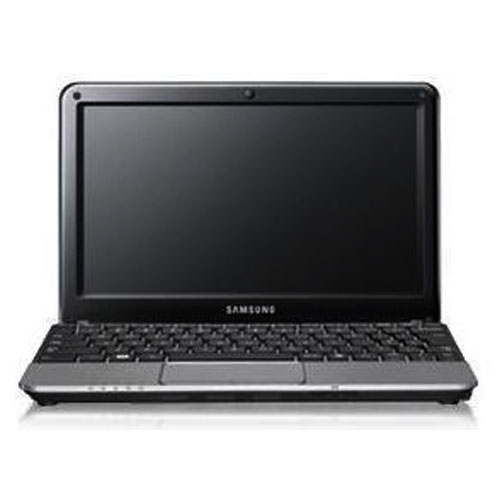
Samsung NC215-A01 Netbook

Samsung NC215-A01 Netbook | 10.1-inch WSVGA LED Display | Solar Powered | 13hrs Battery Life
Computer installed Genuine Windows® 7 Starter Operating system supported Intel® ATOM™ Processor N570 (1.66G Hz, 667MHz, 2 x 512KB)


Warranty: One (1) Year Local and International Warranty on Parts and Labor

Key Features:

Intel® ATOM™ Processor N570 (1.66GHz, 667MHz, 2 x 512KB)
2GB DDR3 System Memory at 1066MHz (2GB x 1)
Battery Life up to 13hrs
10.1" WSVGA LED Display


Key Specifications:


Operating System : Genuine Windows® 7 Starter
Processor : Intel® ATOM™ Processor N570 (1.66GHz, 667MHz, 2 x 512KB)
Memory : 2GB DDR3 System Memory at 1066MHz (2GB x 1)
Screen Size : 10.1" WSVGA LED Display (1024 x 600), Anti-Reflective
Video Type : Intel GMA3150 (Int. Graphic)
Video Memory : Internal Shared Memory
Hard Disk : 500GB SATA HDD
Battery Type: 6 cell
Battery Life : Up to 13hrs (depending on consumption)
Network Interface : Built-in 10/100 LAN
Wireless LAN : 802.11 bg/n
Bluetooth : Built-in High Speed 3.0
Camera : Built-in
I/O Ports

3 x USB 2.0
VGA Port
Headphone-out, Mic In, Mic Out
4-in-1 Card Reader (SD, SDHC, SDXC, MMC)
RJ45 Port
DC-in Port
Softwares

Samsung Update Plus
Easy Network Manager
Samsung Support Center
Microsoft Office Starter 2010
Skype
Control Center

Dimensions:

Size 259 x 179.5 x 23.6 ~ 35.8mm
Weight : 1.32 Kg (2.91 lbs)

Sunday, July 22, 2012

Intel ultrabook beating macbook

In a move that can only be good for consumers, Intel is apparently putting pressure on Ultrabook component suppliers to minimise the costs of super-slim laptop production.
With Apple lowering the cost of its new Sandy Bridge-powered MacBook Air line-up by $100 at WWDC, Intel is keen to maintain the cost advantage of Windows-based machines, says Digitimes.

The company already has a plan in place to lower the base prices of Ultrabooks to $699 (£450) in the second half of this year.
However, Intel will reportedly meet with suppliers in Taiwan to discuss ways to make this happen sooner rather than later.


Cheaper components


The Digitimes report claims: "Intel will focus on solutions to reduce component costs, including adoption of fiberglass-reinforced plastic cases in place of expensive aluminum-alloy, 16650 cylinder-shaped batteries or prismatic lithium-ion batteries in place of Li-polymer batteries and hybrid-HDDs in place of SSDs, the sources said."
While this may see the price of Ultrabooks fall to a more affordable mark, we've gotten used to the high-end feel of some devices like the ASUS UX31.
Surely replacing those cases with fiberglass-reinforced plastic would allow Apple to maintain its firm grip on the premium end of the market?
As well as the price cut, the chip manufacturer is looking to reach sales targets of 20-30m units this year, driven by manufacturers like Acer, Asus, Samsung, Toshiba and LG.

Thursday, July 12, 2012

Download Angry Birds Seasons : Year of the Dragon For PC FULL VERSION -2012

Angry-Birds-Seasons-Year-of-the-Dragon
Three days back we talked about the updated version of Angry Birds Season edition which got 15 new levels. The game was earlier available for iOS and Android . But the game is available to be downloaded for PC now. The game is a full version, read the instructions given below to crack the game and make it a complete version. The download link for Angry Birds Year Of The Dragon Full Version Cracked is given below.
Angry Birds Year Of The Dragon Full Version Cracked

Right SIde is an in game screenshot to show you how the new levels feels.


Instructions to make the game full version:


  1. Download Angry Birds Seasons v.2.2.0 Full ( Alternate Link ).
  2. Install using AngryBirdsSeasonsInstaller_2.2.0.exe and do not run the game after the installation.
  3. Run patch.exe from patch folder.
  4. Click on patch
  5. Find the file, usually present in c:\program files\Rovio\Angry Birds Seasons\
  6. Close the patch.exe
  7. Now run Angry Birds Seasons From your desktop icon , click on activate full version and paste the key “THET-ALEV-LEFR-USWO”.

Wednesday, July 11, 2012

WHICH IS THE MOST POPULAR ANTIVIRUS SOFTWARE?


antivirus most popular
In an over-crowded antivirus software market, end and corporate users are often finding it difficult to differentiate between a value-added market proposition, next to the “me too” vendors of solutions. As in every other market segment, any scientific insight into the market share of various vendors offers an invaluable perspective into the market dynamics, what are customers purchasing, and most importantly, are they living in a world of ‘false feeling of security’.

Using a data set consisting of 120,000 data points, researchers from OPSWAT recently released an informative overview of the antivirus market, answering an important question - which is the most popular antivirus vendor?

According to their findings, that’s avast! Free Antivirus, followed by Microsoft Security Essentials and ESET NOD32 Antivirus.

Detailed market share statistics:

Avast - 17.4% worldwide market share
Microsoft - 13.2% worldwide market share
ESET - 11.1% worldwide market share
Symantec - 10.3% worldwide market share
AVG - 10.1% worldwide market share
Avira - 9.6% worldwide market share
Kaspersky - 6.7% worldwide market share
McAfee - 4.9% worldwide market share
Panda - 2.9% worldwide market share
Trend Micro - 2.8% worldwide market share
Other - 11.1% worldwide market share

Microsoft is the market leader in North America, followed by Symantec and AVG. Not surprisingly, the market leading avast! Free Antivirus is relying on the so called “freemium” business model, where the company grows and gains market share by offering a free alternative of their software, and earns revenue thanks to the successful conversion of free users to paid ones. Earlier this year, the company announced that it has 150 million active users worldwide, a clear indication of a working “freemium” business model.

What do you think? Is antivirus software still relevant in the age of Stuxnet, Duqu and Flame, the so called poster kids of the DIY targeted attack toolkits and weaponized malware releases? Do think free antivirus is offering a ‘false feeling of security’ compared to subscription based license models?

Friday, July 6, 2012

Solution of How To Install Windows Xp In Acer Laptops !!! Must Enter Who has ACER Laptops.....


Many Time We Are Unable to Install window xp In Our Laptops And Desktops... Here Is A Solution For That.....
Are you not able to install windows Xp in Acer Laptops, Acer Aspire Laptops, Acer Aspire One, Acer Travelmate ?
Getting Blue screen error saying ?

“A problem has been detected and windows has been sut down to prevent damage to your computer. if this is the first time you’ve seen this error screen restart your computer. If this screen appears again follow these steps:
check for viruses on your computer. remove any newly installed hard drives or hard drive controllers. check your hard drive to makes sure it is properly configured and terminated. run chkdisk /f to check for harddrive corruption, and then restart your computer.
technical information:
***stop: 0x0000007b (0xf7b6d528, 0xc0000034, 0×00000000, 0×00000000) “

Why this error occurs while installing Xp in Acer Laptop ?
As we know, Microsoft stopped Windows XP selling product to new computer purchasing in order to overcoming Windows Vista. On recent days, new computers or notebooks product which has the requirement hardware are now capable to use it.

One problem found that lots of newest computers or notebooks are equipped with a SATA interface hard drive that not all recognized by Windows XP installer. It would ask the SATA driver for the hardware and you must provide it before continue to installing the rest processes.

So here is the Solution,
1. Get your windows Xp disc.
2. Restart your notebook and faster press F2 Or You Booting Key when the ACER word come out…
For Example Mostly working Key Esc,F8,F12,F2 Or Other ....
3. Now you are in CMOS / Bios Setup, go to Main, look for the SATA, the SATA is ACHI, change it to IDE.
4. Then you go to Boot, switch the CD/DVD become the first one and IDE become second…
5. Save Changes and Exit.
6. Now Press Any Key to Boot From CD…so, you just press any key…then…the setup is starting…
Note:
I have tried this method in Acer Aspire 5738G And Try in Lenovo G550


NOTE: IF YOU LIKE PLEASE LIKE US ON FACEBOOK FANPAGE OR FOLLOW US ON GOOGLE PLUS

Tuesday, July 3, 2012

Do you download Free Softwares from UN-OFFICIAL websites?

Do you download Free Softwares from UN-OFFICIAL websites?
I know you are pro in searching and downloading pirated software’s and am sure you are aware of the risk behind it. But what about Open source and Free software’s? Do you download them from any 3rd party websites or file sharing networks? ..well its time to be aware of the Risk.

Popular open-source software’s that are being downloaded by thousands of internet users everyday includes VLC media player, Google Chrome browser and others. Most people prefer downloading these from unofficial websites, because they feel its more complicated when downloading from Official Websites, Like in the case of downloading ‘Google chrome browser’ from official webpage, you are first required to download small downloader which will then download and install the chrome browser on your PC. But many other websites provide download link for the full “Google chrome” exe file and people prefer this way..


We all know that the main objective of open-source software developers, is to share the source code with everyone. Because they expect other developers to fix any bugs or add new features to it and make it more beautiful. But some time it gets abused.

Scammers are taking advantage of the availability of the source code to trick users and make money. The Scammers are adding malware and adware to these software’s and releasing them as the original product. Some deceptive sites are even re-branding the original open-source project and selling them as a new product.
Trusted Websites: brother-soft | cnet | sourceforge | filehippo

The Scammers are Binding “open-source sofwares” with various crapware to monetize the software with loads of advertisements and earn money. The result of this is a poor product that doesn’t work as intended, that can’t be uninstalled and that clearly abuses its users and their privacy. Recently there were reports that some websites are selling “Mozilla Firefox browser”, using the Mozilla trademarks to promote other products and services, or using modified versions of the Mozilla trademarks.
How these Scammers work?
  1.  They Download the source code from open source projects and add adware or malware to it.
  2.  They release their version of product and disguise as the original.
  3.  They advertise their product on adverting networks like Google AdWords.
  4.  They earn more money through the malware and adware bundled with their version of Free Software.
  5.  They buy more advertisements to spread their copy of free software and earn even more.

These activities are indeed deceptive, harm users and cause consumer confusion. Open source Softwares are affected and will keep on affected by this scourge and there’s not much we can do about it. So the next time you download any free open-source software, make sure you are on the right place

Tuesday, May 29, 2012

FREE WINDOWS 8 BETA DOWNLOAD (CONSUMER PREVIEW) 2012

Windows 8 is the official name for the next version of Microsoft Windows, a series of operating systems produced by Microsoft for use on personal computers, including home and business desktops, laptops, netbooks, tablet PCs, and media center PCs. According to unofficial sources, the release date for Windows 8 has been set for October 2012, three years after the release of its predecessor, Windows 7. Windows 8's server counterpart, Windows Server 2012, is in development concurrently with Windows 8. The most recent officially released pre-release version is the Consumer Preview, which was released on February 29, 2012. An almost-complete Release Preview is scheduled for June 5, 2012.

Unlike Windows 7, which was intended to be a more focused, incremental upgrade to the Windows line, Windows 8 has been “reimagined from the chipset to the user experience” to connect more with the user. It features the Metro interface that is designed for touchscreen input similar to that in Windows Phone and on the Xbox 360. A version of Windows 8, called Windows RT, also adds support for the ARM processor architecture in addition to the previously supported microprocessors from Intel and AMD.

Downloading Windows 8 Beta

Windows setup (with tools to create an ISO or thumb drive)


ISO image (use Disk Image burner or USB tool)

Sunday, May 27, 2012

FREE DOWNLOAD WINDOWS 7 FULL VERSION 2012


Free Download Windows 7
Windows 7 is the current release of Microsoft Windows, a series of operating systems produced by Microsoft for use on personal computers, including home and business desktops, laptops, netbooks, tablet PCs, and media center PCs. Windows 7 was released to manufacturing on July 22, 2009, and reached general retail availability worldwide on October 22, 2009, less than three years after the release of its predecessor, Windows Vista. Windows 7's server counterpart, Windows Server 2008 R2, was released at the same time.

Unlike Windows Vista, which introduced a large number of new features, Windows 7 was intended to be a more focused, incremental upgrade to the Windows line, with the goal of being compatible with applications and hardware with which Windows Vista was already compatible. Presentations given by Microsoft in 2008 focused on multi-touch support, a redesigned Windows shell with a new taskbar, referred to as the Superbar, a home networking system called HomeGroup, and performance improvements. Some standard applications that have been included with prior releases of Microsoft Windows, includingWindows Calendar, Windows Mail, Windows Movie Maker, and Windows Photo Gallery, are not included in Windows 7; most are instead offered separately at no charge as part of the Windows Live Essentials suite.

Minimum System Requirements:

  • 1 GHz or faster 32-bit (x86) or 64-bit (x64) processor
  • 1 GB of RAM (32-bit) / 2 GB RAM (64-bit)
  • 16 GB available disk space (32-bit) / 20 GB (64-bit)
  • DirectX 9 graphics processor with WDDM 1.0 or higher driver
  • DVD-compatible drive

Guidelines for downloading and installing this full version of windows 7 free.

For downloading you will asked to signin with your MSN Hotmail, MSN Messenger, or Passport account. So create one if you don’t have it yet.

Requires Java applet to be installed since the windows7 download manager is java based.

Choose between 32-bit (x86) version or 64-bit (x64) version.

Product key: This download of Windows 7 Enterprise has a product key built in, so there is no need to enter one.

Select the suitable language: English, French, German, Japanese, or Spanish.

After downloading the windows 7 iso file,you can either burn this image into a DVD and install from the DVD or use a virtualization software like Vmware for installing within your current OS.


The official versions of Windows 7 SP1 downloads contain only certain languages, but you can download the additional language packs from Microsoft to switch to another language.

DOWNLOAD Windows 7 Ultimate SP1 Lite 700 mb FULL


Your computer should run this.
System requirements for Windows 7 aren’t any great mystery, but now we’re getting a much better idea of what it’ll say on the retail box.
Microsoft posted relatively modest system requirements (at least for any computer belonging to a Tom’s Hardware reader) when it released the Windows 7 public beta in January and only slightly modified them for the release of yesterday’s Release Candidate.
The system requirements for the beta at the time called for:
  • 1 GHz 32-bit or 64-bit processor
  • 1 GB of system memory
  • 16 GB of available disk space
  • Support for DirectX 9 graphics with 128 MB memory (to enable the Aero theme)
The system requirements published yesterday for the official Release Candidate are the following:
  • 1 GHz or faster 32-bit (x86) or 64-bit (x64) processor
  • 1 GB of RAM (32-bit)/2 GB of RAM (64-bit)
  • 16 GB of available disk space (32-bit)/20 GB (64-bit)
  • DirectX 9 graphics device with Windows Display Driver Model 1.0 or higher driver
The only real changes to the system requirements since January are slightly bumped up ones for the 64-bit version, though we suspect anyone who plans to run the x64 build will have a machine that’s way beyond the minimum (having at least 4 GB of RAM would be a good starting point).
While the system requirements posted yesterday apply to the Release Candidate, Microsoft told ZDNet that they were ‘final’, though it’s unknown if there will be different requirements between different SKUs such as Starter Edition or Ultimate Edition. “The system requirements are final and not SKU-specific,” said a Microsoft spokesperson.
Those who plan to run XP Mode will need at least 2 GB RAM, 15 GB of additional hard drive space and a processor that supports hardware virtualization.
According to early tests, Windows 7 performs better than Windows Vista on the same hardware.
"It's been a long time since we've had a version of Windows that will actually run better [than the previous version] on the hardware that most customers have," Mike Nash, corporate vice president of Microsoft's Windows product management group, said during a conference call with reporters, quoted byComputerWorld.
Windows 7 does carry with it slightly heftier system requirements than Vista does, despite it being a better performer. From one generation to the next – and three years later – Windows 7’s system demands does seem positively modest.
For reference, Windows Vista’s system requirements are:
  • 1 GHz processor (32- or 64-bit)
  • 512 MB of RAM (for Home Basic); 1 GB of RAM for all other versions
  • 15 GB of available disk space
  • Support for DirectX 9 graphics and 32 MB of graphics memory (for Home Basic); 128 MB of graphics memory plus WDDM support for all other versions